Become a driving force behind WordPress innovation by joining the Global Community Sponsorship Program: a comprehensive initiative that supports the events and people powering our open source mission. As a Global Sponsor, your organization gains meaningful visibility across the international WordPress ecosystem while helping to fund events that foster growth, collaboration, and community.
Why Choose Global Sponsorship?
Instead of managing multiple individual sponsorships, this streamlined program consolidates your efforts into one efficient and impactful partnership.
Efficiency and Simplified Administration
Skip the complexity of coordinating invoice payments with numerous volunteer teams. Our centralized approach saves time and resources. In 2026, sponsors will benefit from:
A dedicated Slack channel for direct communication with the WordPress Community Support team and Community Program Managers
Monthly updates listing upcoming WordPress events, their current planning stages, and scheduled dates
Expanded Reach and Impact
Your sponsorship amplifies your presence worldwide, ensuring consistent visibility across global WordPress community events.
Stability and Reliability
Your commitment strengthens locally organized events by providing predictable funding that supports venues, logistics, and growth.
Flexible Branding Options
Adapt across your portfolio—Global Sponsors can represent different brands at different events (subject to approval and advance notice).
Program Benefits
Global Leader
Regional Powerhouse
Community Builder
Best for:
Established brands seeking global reach and year-round visibility.
Companies aiming for regional dominance and strong brand recognition.
Organizations supporting the next generation of WordPress education.
Sponsorship payable in full or through quarterly installments
$180,000
$110,000
$60,000
Top tier sponsorship benefits at all local WordCamp events (excludes flagships) with priority access to claim a sponsor table at in-person WordPress events
✔️
Option to feature multiple brands across events
✔️
Dedicated sponsor landing page
✔️
✔️
Complimentary WordPress event tickets for your team
Local WordPress events worldwide (venue rental, catering, A/V, and more)
Meetup.com license fees for over 671 WordPress Meetup groups globally
Administrative costs like insurance, banking, and annual financial audits that ensure transparent operations
Your partnership helps sustain the community that powers more than 43% of the web. Together, we can keep the WordPress project thriving and expanding for years to come.
If your company is interested in joining the Global Sponsorship program or you would like to know more, please reach out.
If you’d like to go one step further, please consider donating directly to the WordPress Foundation. We operate lean—every dollar goes toward keeping WordPress free, supporting education, and funding the community that makes the web a better place. In short, your donation helps us keep the lights on and the mission alive.
State of the Word 2025 brought the WordPress community together for an afternoon that felt both reflective and forward-moving, blending stories of global growth with technical milestones and glimpses of the future. This year also marked the twentieth State of the Word since the first address in 2006, a milestone noted in the WordPress history book Milestones: The Story of WordPress as the beginning of a tradition that has helped the project tell its own story.
From the outset, the keynote carried a sense of momentum shaped by thousands of contributors, educators, students, and creators whose steady participation continues to define the open web. It was a reminder that WordPress is more than software. It is a community writing its future together.
What we have is more than code. It’s momentum, it’s culture, and it’s a system that lets people learn by doing and lead by showing up. — Mary Hubbard, WordPress Executive Director
Mary opened the evening by reflecting on her first full year as Executive Director, a year spent listening deeply and seeing firsthand how people across regions learn, contribute, and lead. Her remarks grounded the keynote in the lived reality of a community that grows because people invest in one another, teach openly, and build trust through contribution.
I’ve met people using WordPress to unlock new careers. I’ve met contributors who started a single translation or forum post and are now leading major pieces of the project. In LatAm, Europe, and the States, I’ve seen students get access to WordPress tools and start building faster than we could have ever imagined. I’ve watched communities build in public, resolve disagreements in the open, and collaborate across languages and time zones.
That reflection offered a clear reminder of what makes WordPress resilient through change: a culture of showing up, learning by doing, and supporting others along the way. The project moves forward because people choose to participate in ways both large and small, strengthening the foundation that has carried WordPress for more than two decades.
With that foundation in place, the keynote moved through a series of stories and demonstrations that highlighted where WordPress stands today and where it is headed next — from a historic live release of WordPress 6.9 to expanding global education pathways, emerging AI capabilities, and deeper collaboration across the entire ecosystem.
WordPress by the Numbers
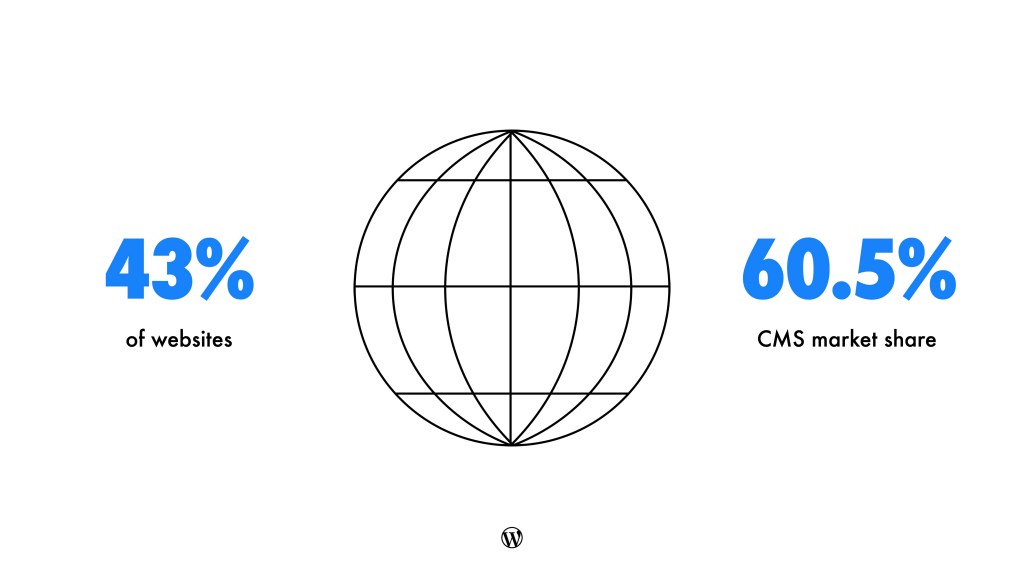
Project Cofounder Matt Mullenweg began with a wide-angle view of the project’s growth. WordPress powers over 43% of the web, with 60.5% of the CMS market. Shopify, its nearest competitor, holds 6.8%. Among the top 1,000 websites, WordPress’s share climbed to 49.4%, up 2.3% from the previous year.
Multilingual usage continued its strong rise. Over 56% of WordPress sites now run in languages other than English. Japan stood out, with WordPress powering 58.5% of all Japanese websites and 83% of the CMS market. Japanese became the second most-used language on WordPress at 5.82%. Spanish followed, then German, French, and Brazilian Portuguese.
The plugin ecosystem saw explosive growth. The directory surpassed 60,000 plugins, and plugin downloads were on pace to reach 2.1 billion by year-end. Over 1,500 themes have been released this year as well.
Contributors also hit new highs. The 6.8 release included 921 contributors, the largest group yet. WordPress 6.8 saw 79.5 million downloads, up 13%, and WordPress 6.9 included contributions from 230 first-time contributors and more than 340 enhancements and fixes.
A Release Moment to Remember
This year’s keynote delivered something WordPress had never attempted before: a live on-stage release of WordPress 6.9.
Mary set the moment up earlier in the program, calling WordPress 6.9 “fast, polished, and built for collaboration.” She explained that it reflected a year of intentional iteration, improved workflows, and deeper cross-team participation.
Matt took the stage with some of the release leads, the release button in hand. The room counted down, and then WordPress 6.9 shipped live, instantly updating millions of sites around the world. It was both a celebration and a testament to the reliability and trust the WordPress community has built into its release processes. Shipping a major version of WordPress in real time, on stage, without drama, is something the early contributors could hardly have imagined.
That reflection connected back to WordPress’s origin story. Matt talked about discovering the B2 forums, asking questions, and eventually reaching the point where he could answer someone else’s. That transition from learner to contributor remains at the heart of the project today. Two decades later, WordPress has grown from those early interactions into a platform that can ship a major release in front of the world, powered by thousands of contributors building together.
WordPress and the Future of AI
As the keynote shifted toward the future, Matt acknowledged what has become an essential truth of the moment: it would be impossible to talk about the next chapter of WordPress without talking about AI. He reminded the audience that in 2022, long before ChatGPT entered global conversation, he encouraged the community to “learn AI deeply.” The speed of change since then, he said, has exceeded every expectation, and WordPress has been preparing for it in ways both visible and behind the scenes.
Matt introduced one of the most important architectural developments of the year: the Abilities API and the MCP adapter. The Abilities API defines what WordPress can do in a structured way that AI systems can interpret, while the MCP adapter exposes those abilities through a shared protocol. This means AI agents — whether built by individuals, companies, or larger platforms — can understand and interact with WordPress safely and predictably. Instead of relying on one-off integrations or brittle interfaces, WordPress now participates in a broader ecosystem of tools that can query its capabilities and perform tasks using a standard, governed approach.
Matt then highlighted how developers are already using AI in their everyday work through tools like Cursor, Claude Code, and next-generation CLIs. These tools can explore entire codebases, generate documentation, produce tests, refactor large components, and even coordinate sequences of WP-CLI commands. For many developers, they expand what a single person can accomplish in an afternoon. They don’t eliminate the need for human judgment — they amplify it.
With that foundation laid, Matt turned the audience’s attention to Telex, the experimental environment designed to turn natural-language prompts into Gutenberg Blocks. Telex has already moved beyond experimentation and into real use. Matt showed examples from community creator Nick Hamze, who uses Telex to power micro-business tools that represent practical, revenue-generating workflows that previously required custom engineering.
Matt then widened the lens to show what companies across the ecosystem are building with AI. Hostinger’s Kodee can generate a complete WordPress site from a single description. Elementor AI demonstrated similarly rapid creation inside its own editor, producing full sections and layouts in seconds. WordPress.com showcased how its AI tools help users draft, rewrite, and refine content while keeping language aligned with the site’s voice. Yoast demonstrated how AI can support SEO workflows by generating structured suggestions and improving readability. Together, these examples illustrated that AI is not arriving in one place — it is arriving everywhere.
Experimental browsers can navigate WP Admin autonomously, performing tasks such as clicking buttons, opening menus, changing settings, and performing multi-step tasks without requiring any custom plugins or APIs. This raised a key question that Matt encouraged the community to consider: Which AI capabilities should live inside WordPress itself, and which should remain external, operating through the browser or operating system?
Matt closed the section by discussing WordPress-specific AI benchmarks and evaluation suites. These shared tests will measure how well AI systems understand and execute WordPress tasks, from enabling plugins to navigating WP Admin to modifying content and settings. The goal is to create a foundation where future AI tools behave predictably and responsibly across the entire ecosystem, giving creators confidence that intelligent tools understand the platform deeply.
A Global Community Growing Together
Mary then returned to the stage to celebrate the ecosystem that supports WordPress’s growth. Across continents, diverse groups of people have hosted WordPress events, training new contributors and welcoming newcomers into the project. WordCamp growth in 2025 reflected that: more than 81 WordCamps across 39 countries, powered by over 5,000 volunteers and attended by nearly 100,000 people, with sixteen more events still underway.
Education played a major role in this community expansion. Learn.WordPress.org served over 1.5 million learners this year, with clearer pathways into more structured programs like Campus Connect and WordPress Credits. This bridging was deliberate. Many learners arrive through tutorials or workshops but need clearer guidance on how to deepen their skills. By reshaping navigation and improving wayfinding across WordPress.org, the project began closing that gap.
She spotlighted Costa Rica’s Universidad Fidélitas, where WordPress moved beyond extracurricular interest into formal academic integration. Long before signing an agreement with the WordPress Foundation, their students were hosting WordCamp San José, forming student clubs, and treating WordPress as a crucial part of digital literacy and professional development.
Students of the WordPress Fidélitas Club
Wapuu appeared across events as a familiar companion and a cultural thread running through contributor tools and community projects. Its presence was a reminder that creativity and playfulness are as essential to open source as documentation or code.
Matt highlighted the story of Youth Day in Managua, Nicaragua. Seventy-five young people spent a full day building their first WordPress sites. Sessions were taught by teenagers, for teenagers. They learned to pick themes, customize layouts, create contact forms, and publish content. Contribution often starts with a simple moment of confidence, and those early sparks can shape entire careers.
Together, these moments illustrated a project expanding not just in numbers, but in depth, diversity, and global reach. WordPress is growing because communities are finding their own ways to embrace it.
What’s New in WordPress 6.9
Joining virtually, WordPress Lead Architect, Matías Ventura, shifted the keynote from vision to practice. Matías offered a detailed walkthrough of what makes WordPress 6.9 one of the most refined, collaborative, and forward-looking releases the project has shipped in years. He returned to the four familiar lenses of creation — writing, designing, building, and developing — and showed how each evolved in this release cycle.
He began with notes in the Block Editor, one of the most anticipated features. Notes allow collaborators to comment directly on individual blocks in a post or page. When a note is selected, the surrounding content subtly fades, helping contributors stay focused on context. Because notes are built on WordPress’s native comment system, they integrate seamlessly with existing communication workflows, including email notifications. Matías highlighted that notes development exemplified collaboration at its best, with contributors from various companies working together to bring the feature to life.
From there, he turned to refinements across the writing and design experience. Editor interactions feel smoother and more consistent. Patterns behave more predictably. Spacing and typography controls are clearer, more organized, and more intuitive. Together these capabilioties make the experience of writing and designing inside WordPress calmer, more reliable, and more empowering.
Block bindings now provide a more intuitive, visual way to connect blocks to dynamic data sources. Users can switch or remove bindings with a single click, and developers can register additional sources to support custom workflows. This work lays the foundation for a future where dynamic data flows more naturally through blocks, enabling site creators to build richer interfaces without writing code.
On the developer front, Matías focused on three foundational upgrades that represent major steps forward in how WordPress will evolve over the coming years.
The first was the Abilities API, a unified registry that describes what WordPress can do — across PHP, REST endpoints, the command palette, and future AI-driven interactions.
The HTML API introduces new ways of working with and modifying HTML server-side. The API ensures safer, more reliable handling, lowering the barrier for theme and block developers who work with dynamic or structured markup.
The Interactivity API delivers smoother, faster interactions without requiring heavy JavaScript frameworks. Improved routing, better state management, and clearer conventions help developers create rich, modern interfaces without leaving the WordPress philosophy of simplicity and flexibility.
After Matías wrapped his presentation, Matt stepped back in to highlight several developments that build on the foundations of 6.9 and strengthen the overall WordPress ecosystem. He pointed first to the Plugin Check Plugin, a tool designed to help developers align with current WordPress standards and catch common issues early, making plugins more reliable for users and easier to maintain over time. Matt then spoke about ongoing progress in Data Liberation, noting improvements to the WordPress importer that make it easier for people to bring their content into WordPress without disruption or loss, an important step toward ensuring the open web remains portable and resilient. He also highlighted advances across the Playground ecosystem, including WordPress Studio, the Playground CLI, and an expanding set of Blueprints. These allow developers and learners to spin up complete WordPress environments in seconds, test ideas, and experiment without servers or configuration. Matt closed this portion by emphasizing work on safer updates, which help WordPress avoid partial installs and ensure that updates complete smoothly even in less predictable hosting conditions, reinforcing WordPress’s commitment to stability as the platform continues to grow.
Matt emphasized that WordPress 6.9 is not defined by any single headline feature, but by a broad spectrum of refinements across the entire experience. It is a release that deepens reliability, expands capability, and sets the stage for future innovation.
Insights from the AI Panel
The keynote transitioned into a live AI panel moderated by Mary Hubbard. The panel brought together four perspectives from across the ecosystem: James LePage (Automattic), Felix Arntz (Google), and Jeff Paul (Fueled, FKA 10up), and Matt Mullenweg. Their conversation touched on the philosophy, practice, and future of AI inside WordPress — not as a distant trend, but as an active part of the project’s evolution.
A central theme was AI’s ability to amplify human creativity. James LePage put it plainly:
It’s not that we’re going to just add sparkle buttons everywhere. We’re going to do some crazy stuff here — things we’re going to build into the way you interact with creating content, with expressing yourself digitally. We want to give you more power, more control, and make you more effective at creating.
Jeff Paul echoed this sentiment, emphasizing that AI should make developers more productive by handling repetitive work and freeing them to focus on higher-level decisions. Felix Arntz expanded the idea further, describing how Google sees AI as a way to make the web more accessible and intuitive, especially for new creators who may not have formal technical training.
From left to right: Mary Hubbard, Matt Mullenweg, Jeff Paul, Felix Arntz, James LePage
Looking ahead, the panelists predicted deeper contextual integrations, AI-assisted debugging and scaffolding for developers, and workflows where agents can take on sequences of tasks while remaining directed by human decisions. They also highlighted the importance of standards, shared protocols, and privacy-focused design as essential components of WordPress’s long-term approach.
The next 20 years looks like WordPress remaining what it is today, which is the center of the open web.
The panel closed on a forward-looking but steady note. AI is accelerating, but WordPress is designing its foundations with flexibility and values that endure. The tools may change, but the commitment to openness, agency, and creative freedom remains the compass.
Questions That Push Us Forward
Matt introduced the Q&A as one of his favorite parts of State of the Word because it reveals what people are imagining, struggling with, or eager to build.
The first question addressed the growing interconnectedness of today’s web. What happens, a participant asked, when a major provider like Cloudflare goes down? As tools and agents rely more heavily on external services, failures can cascade. Matt acknowledged that outages are increasingly visible, but also argued that each one strengthens the system.
“Every failure, every edge case, everything that you never imagined is just another opportunity to find that new edge case,” he said. Resilience is not avoidance of failure, but the ability to grow stronger after it.
Another question focused on the longevity of web content. With platforms shutting down or links breaking over time, how can creators ensure their work endures? Matt pointed to the Internet Archive as one of the great stabilizers of the open web. He highlighted a new plugin that automatically scans posts and replaces dead links with archived versions, helping preserve the historical fabric of the web even as individual services come and go.
The next question turned to real-time collaboration inside WordPress. A participant asked how co-editing fits into the future of WordPress and how these tools might help creators work more confidently. Matt talked about how collaboration tools can support people who are just starting their creative journeys — whether they are entrepreneurs, students, or first-time site builders. He described real-time editing as part of a broader vision of WordPress “just doing the work for you” in high-pressure or early-stage creative moments.
The final question considered long-term decision-making. Matt noted that predicting what will change is difficult, but identifying what will remain the same is much easier. For WordPress, he said, the invariant is clear: people will always want agency, openness, and the ability to publish on their own terms. These values guide decisions not only in the present, but across decades of future evolution.
TBPN Podcast Appearance
After the Q&A, the keynote shifted gears with a live crossover segment featuring TBPN (the Technology Business Programming Network), a tech-focused podcast. The segment introduced a lively, unscripted energy into the room.
The hosts kicked things off by asking Matt what the “word of the year” should be. He chose “freedom”, connecting it directly to the core philosophy of open source. He described open source licenses as a kind of “bill of rights for software,” giving users inalienable rights that no company can revoke. In a world increasingly shaped by software platforms and digital ecosystems, these freedoms form the heart of what keeps the web open and accessible.
Conversation then moved to Beeper, the multi-network messaging client. Asked whether Beeper aims to “tear down walled gardens,” Matt rejected that framing. Instead, he offered a more collaborative metaphor: bringing gardens together. Most people have friends and colleagues scattered across WhatsApp, Instagram, LinkedIn, Messenger, and SMS. Beeper doesn’t replace those apps — it brings messages together into a unified interface..
The conversation eventually returned to publishing. Matt referenced the same principle he noted earlier: the importance of identifying what won’t change. For WordPress, he said, that means doubling down on freedom, agency, and the ability to publish without gatekeepers. Even as AI evolves, even as platforms shift, even as new tools emerge, these are the values that will guide the project forward.
Building the Web We Believe In
As the keynote drew to a close, Matt returned to a message that had threaded through every section of the evening. The future of WordPress is not arriving from outside forces — it is being crafted, questioned, tested, and expanded by the people who show up. Contributors, students, educators, community organizers, designers, developers, business owners, and first-time site builders all play a role in shaping the platform.
He spoke about the opportunities ahead: new tools that expand what creators can build, collaborative features that make teamwork feel natural, and AI systems that enhance creativity rather than diminish it. Across continents, generations, and skill levels, people are discovering WordPress as a path to learning, empowerment, and expression.
The values that brought the project this far remain the ones that will carry it forward: freedom, participation, learning, and community. These aren’t abstract principles. They are lived every day in the decisions contributors make, the ideas they pursue, and the care they bring to the work.
Future Events
If you’re feeling inspired to revisit past moments from the project’s annual address, the State of the Word YouTube playlist offers a look back at years of community milestones and product progress. The excitement continues into 2026, with major WordPress events already on the horizon: WordCamp Asia in Mumbai, India,WordCamp Europe in Kraków, Poland, and WordCamp US in Phoenix. We hope to see you there as the community continues building what comes next.
Each WordPress release celebrates an artist who has made an indelible mark on the world of music. WordPress 6.9, code-named “Gene,” honors the American Jazz pianist Gene Harris.
A piano veteran, self taught at the age of six, Harris infused mainstream jazz with elements of soul, blues, and gospel, creating a warm, signature sound that is both elegant and iconic. Harris’ bluesy jazz lived at the intersection of worlds, weaving a rich landscape of texture and mood, with a thread of soulfulness that ignited listeners.
Welcome to WordPress 6.9
WordPress 6.9 brings major upgrades to how teams collaborate and create. The new Notes feature introduces block-level commenting when writing posts and pages that streamlines reviews, while the expanded Command Palette makes it faster for power users to navigate and operate across the entire dashboard. The new Abilities API provides a standardized, machine-readable permissions system that opens the door for next generation AI-powered and automated workflows. This release also delivers notable performance improvements for faster page loads and adds several practical new blocks alongside a more visual drag and drop to help creators build richer, more dynamic content.
Collaborate Smarter : Leave Feedback Right Where You’re Working
With notes attached directly to blocks in the post editor, your team can stay aligned, track changes, and turn feedback into action all in one place. Whether you’re working on copy or refining design in your posts or pages, collaboration happens seamlessly on the canvas itself.
Command Palette Throughout the Dashboard
Your tools are always at hand.
Access the Command Palette from any part of the dashboard, whether you’re writing your latest post, deep in design in the Site Editor, or browsing your plugins. Everything you need, just a few keystrokes away.
Fit text to container
Content that adapts.
There’s a new typography option for text-based blocks that’s been added to the Paragraph and Heading blocks. This new option automatically adjusts font size to fill its container perfectly, making it ideal for banners, callouts, and standout moments in your design.
The Abilities API
Unlocking the next generation of site interactions.
WordPress 6.9 lays the groundwork for the future of automation with the unified Abilities API. By creating a standardized registry for site functionality, developers can now register, validate, and execute actions consistently across any context—from PHP and REST endpoints to AI agents—paving the way for smarter, more connected WordPress experiences.
Accessibility Improvements
More than 30 accessibility fixes sharpen the core WordPress experience. These updates improve screen reader announcements, hide unnecessary CSS-generated content from assistive tech, fix cursor placement issues, and make sure typing focus stays put even when users click an autocomplete suggestion.
Performance enhancements
WordPress 6.9 delivers significant frontend performance enhancements, optimizing the site loading experience for visitors. 6.9 boasts an improved LCP (Largest Contentful Paint) through on-demand block styles for classic themes, minifying block theme styles, and increasing the limit for inline styles – removing blockages to page rendering and clearing the rendering path by deprioritizing non-critical scripts. This release comes with many more performance boosts, including optimized database queries, refined caching, improved spawning of WP Cron, and a new template enhancement output buffer that opens the door for more future optimizations.
And much more
For a comprehensive overview of all the new features and enhancements in WordPress 6.9, please visit the feature-showcase website.
Learn WordPress is a free resource for new and experienced WordPress users. Learn is stocked with how-to videos on using various features in WordPress, interactive workshops for exploring topics in-depth, and lesson plans for diving deep into specific areas of WordPress.
Read the WordPress 6.9 Release Notes for information on installation, enhancements, fixed issues, release contributors, learning resources, and the list of file changes.
Explore the WordPress 6.9 Field Guide. Learn about the changes in this release with detailed developer notes to help you build with WordPress.
The 6.9 release squad
Every release comes to you from a dedicated team of enthusiastic contributors who help keep things on track and moving smoothly. The team that has led 6.9 is a cross-functional group of contributors who are always ready to champion ideas, remove blockers, and resolve issues.
WordPress 6.9 reflects the tireless efforts and passion of more than 900+ contributors in countries all over the world. This release also welcomed over 279 first-time contributors!
Their collaboration delivered more than 340 enhancements and fixes, ensuring a stable release for all – a testament to the power and capability of the WordPress open source community.
More than 71 locales have fully translated WordPress 6.9 into their language. Community translators are working hard to ensure more translations are on their way. Thank you to everyone who helps make WordPress available in 200+ languages.
Last but not least, thanks to the volunteers who contribute to the support forums by answering questions from WordPress users worldwide.
Get involved
Participation in WordPress goes far beyond coding. And learning more and getting involved is easy. Discover the teams that come together to Make WordPress and use this interactive tool to help you decide which is right for you.
The third Release Candidate (“RC3”) for WordPress 6.9 is ready for download and testing!
This version of the WordPress software is under development. Please do not install, run, or test this version of WordPress on production or mission-critical websites. Instead, it’s recommended that you evaluate RC3 on a test server and site.
Reaching this phase of the release cycle is an important milestone. While release candidates are considered ready for release, testing remains crucial to ensure that everything in WordPress 6.9 is the highest quality possible.
You can test WordPress 6.9 RC3 in four ways:
Plugin
Install and activate the WordPress Beta Tester plugin on a WordPress install. (Select the “Bleeding edge” channel and “Beta/RC Only” stream.)
Direct Download
Download the RC3 version (zip). and install it on a WordPress website.
Command Line
Use this WP-CLI command: wp core update --version=6.9-RC3
The scheduled final release date for WordPress 6.9 is December 2, 2025. The full release schedule can be found here. Your help testing RC versions is vital to making this release as stable and powerful as possible.
Want to look deeper into the details and technical notes for this release? Take a look at the WordPress 6.9 Field Guide. For technical information related to issues addressed since RC2, you can browse the following links:
WordPress is open source software made possible by a passionate community of people collaborating on and contributing to its development. The resources below outline various ways you can get involved with the world’s most popular open source web platform, regardless of your technical expertise.
Get involved in testing
Testing for issues is crucial to the development of any software. It’s also a meaningful way for anyone to contribute.
Your help testing the WordPress 6.9 RC3 prerelease is key to ensuring that the final release is the best it can be. While testing the upgrade process is essential, trying out new features is equally important. This detailed guide will walk you through testing features in WordPress 6.9. For those new to testing, follow this general testing guide for more details on getting set up.
If you encounter an issue, please report it to the Alpha/Beta/RC area of the support forums or directly to WordPress Trac if you are comfortable writing a reproducible bug report. You can also check your issue against a list of known bugs.
For plugin and theme authors, your products play an integral role in extending the functionality and value of WordPress for all users.
Thanks for continuing to test your themes and plugins with the WordPress 6.9 prereleases. If you haven’t yet, please conclude your testing and update the “Tested up to” version in your theme and plugin readme files to 6.9.
If you find compatibility issues, please post detailed information in the support forum.
Test on your hosting platforms
Web hosts provide vital infrastructure for supporting WordPress and its users. Testing on hosting systems helps inform the development process while ensuring that WordPress and hosting platforms are fully compatible, free of errors, optimized for the best possible user experience, and that updates roll out to customer sites without issue.
The second Release Candidate (“RC2”) for WordPress 6.9 is ready for download and testing!
This version of the WordPress software is under development. Please do not install, run, or test this version of WordPress on production or mission-critical websites. Instead, it’s recommended that you evaluate RC2 on a test server and site.
Reaching this phase of the release cycle is an important milestone. While release candidates are considered ready for release, testing remains crucial to ensure that everything in WordPress 6.9 is the best it can be.
You can test WordPress 6.9 RC2 in four ways:
Plugin
Install and activate the WordPress Beta Tester plugin on a WordPress install. (Select the “Bleeding edge” channel and “Beta/RC Only” stream).
Direct Download
Download the RC2 version (zip) and install it on a WordPress website.
Command Line
Use the following WP-CLI command: wp core update --version=6.9-RC2
The scheduled final release date for WordPress 6.9 is December 2, 2025. The full release schedule can be found here. Your help testing RC versions is vital to making this release as stable and powerful as possible.
Get a recap of WordPress 6.9’s highlighted features in the Beta 1 announcement. For more technical information related to issues addressed since RC1, you can browse the following links:
WordPress is open source software made possible by a passionate community of people collaborating on and contributing to its development. The resources below outline various ways you can help the world’s most popular open source web platform, regardless of your technical expertise.
Get involved in testing
Testing for issues is crucial to the development of any software. It’s also a meaningful way for anyone to contribute.
Your help testing the WordPress 6.9 RC2 version is key to ensuring that the final release is the best it can be. While testing the upgrade process is essential, trying out new features is equally important. This detailed guide will walk you through testing features in WordPress 6.9. For those new to testing, follow this general testing guide for more details on getting set up.
If you encounter an issue, please report it to the Alpha/Beta area of the support forums or directly to WordPress Trac if you are comfortable writing a reproducible bug report. You can also check your issue against a list of known bugs.
For plugin and theme authors, your products play an integral role in extending the functionality and value of WordPress for all users.
Thanks for continuing to test your themes and plugins with the WordPress 6.9 beta releases. If you haven’t yet, make sure to conclude your testing and update the “Tested up to” version in your plugin’s readme file to 6.9.
If you find compatibility issues, please post detailed information to the support forum.
Test on your hosting platforms
Web hosts provide vital infrastructure for supporting WordPress and its users. Testing on hosting systems helps inform the development process while ensuring that WordPress and hosting platforms are fully compatible, free of errors, optimized for the best possible user experience, and that updates roll out to customer sites without issue.
The first Release Candidate (“RC1”) for WordPress 6.9 is ready for download and testing!
This version of the WordPress software is still under development. Please do not install, run, or test this version of WordPress on production or mission-critical websites. Instead, it’s recommended to evaluate RC1 on a test server and site.
WordPress 6.9 RC1 can be tested using any of the following methods:
Plugin
Install and activate the WordPress Beta Tester plugin on a WordPress install. (Select the “Bleeding edge” channel and “Beta/RC Only” stream.)
Direct Download
Download the RC1 version (zip) and install it on a WordPress website.
Command Line
Use this WP-CLI command: wp core update --version=6.9-RC1
The scheduled final release date for WordPress 6.9 is December 2, 2025. The full release schedule can be found here. Your help testing Beta and RC versions is vital to making this release as stable and powerful as possible.
Want to know more about this release? Here are some highlights:
Site Editor improvements and Refined content creation
Ability to hide blocks
New blocks
Notes on blocks
Universal command palette in wp-admin
Developer updates
Updates to dataviews and dataforms components
New abilities API
Updates to interactivity API
Updates to block binding API
Performance Improvements
Improved script and style handling
Optimized queries and caching
Added ability to handle “fetchpriority” in ES Modules and Import Maps
Standardizing output buffering
The final release is on track for December 2nd. As always, a successful release depends on your confirmation during testing. So please download and test!
How you can contribute
WordPress is open source software made possible by a passionate community of people collaborating on and contributing to its development. The resources below outline various ways you can help the world’s most popular open source web platform, regardless of your technical expertise.
Get involved in testing
Testing for issues is crucial to the development of any software. It’s also a meaningful way for anyone to contribute.
Your help testing the WordPress 6.9 RC1 version is key to ensuring that the final release is the best it can be. While testing the upgrade process is essential, trying out new features is equally important. This detailed guide will walk you through testing features in WordPress 6.9.
Calls for testing
Thank you to everyone who helps test the following enhancements and bug fixes:
If you encounter an issue, please report it to the Alpha/Beta area of the support forums, or directly to WordPress Trac if you are comfortable writing a reproducible bug report. You can also check your issue against a list of known bugs.
Thank you to everyone who helps with testing!
Update your theme or plugin
For plugin and theme authors, your products play an integral role in extending the functionality and value of WordPress for all users.
Thanks for continuing to test your themes and plugins with the WordPress 6.9 beta releases. With RC1, you’ll want to conclude your testing and update the “Tested up to” version in your plugin’s readme file to 6.9.
If you find compatibility issues, please post detailed information to the support forum.
Test on your hosting platforms
Web hosts provide vital infrastructure for supporting WordPress and its users. Testing on hosting systems helps inform the development process while ensuring that WordPress and hosting platforms are fully compatible, free of errors, optimized for the best possible user experience, and that updates roll out to customer sites without issue.
WordPress 6.9 Beta 3 is available for download and testing!
This beta version of the WordPress software is still under development. Please don’t install, run, or test this version of WordPress on production or mission-critical websites. Instead, you can evaluate Beta 3 on a test server and site.
WordPress 6.9 Beta 3 can be tested using any of the following methods:
Plugin
Install and activate the WordPress Beta Tester plugin on a WordPress install. (Select the “Bleeding edge” channel and “Beta/RC Only” stream.)
The final release of WordPress 6.9 is scheduled for December 2, 2025, and the release schedule can be found here. Your help testing Beta and RC versions is vital to making this release as stable and powerful as possible. Thank you to everyone who helps with testing!
Find out what’s new in WordPress 6.9: Read the Beta 1 announcement for details and highlights.
How to test this release
Your help testing the WordPress 6.9 Beta 3 version is key to ensuring that everything in the release is the best it can be. While testing the upgrade process is essential, trying out new features is equally as important. This detailed guide provides a walk through on testing features in WordPress 6.9.
If you encounter an issue, please report it to the Alpha/Beta area of the support forums, or directly to WordPress Trac if you are comfortable writing a reproducible bug report. You can also check your issue against a list of known bugs.
WordPress 6.9 Beta 3 contains more than 80 updates and fixes since the Beta 2 release.
Each beta cycle focuses on bug fixes, and more are on the way with your testing! You can browse the technical details for all issues addressed since Beta 2 using these links:
This beta version of the WordPress software is under development. Please do not install, run, or test this version of WordPress on production or mission-critical websites. Instead, you should evaluate Beta 2 on a test server and site.
You can test WordPress 6.9 Beta 2 in any of the following ways:
Plugin
Install and activate the WordPress Beta Tester plugin on a WordPress install. (Select the “Bleeding edge” channel and “Beta/RC Only” stream.)
The scheduled final release date for WordPress 6.9 is December 2, 2025. The full release schedule can be found here. Your help testing Beta and RC versions is vital to making this release as stable and powerful as possible. Do check the Make WordPress Core blog for 6.9-related posts in the coming weeks for more information. Thank you to everyone who contributes by testing!
Catch up on what’s new in WordPress 6.9: Read the Beta 1 announcement for details and highlights.
How to test this release
Your help testing the WordPress 6.9 Beta 2 version is key to ensuring everything in the release is the best it can be. While testing the upgrade process is essential, trying out new features is equally important. This detailed guide will walk you through testing features in WordPress 6.9.
If you encounter an issue, please report it to the Alpha/Beta area of the support forums or directly to WordPress Trac if you are comfortable writing a reproducible bug report. You can also check your issue against a list of known bugs.
WordPress 6.9 Beta 2 contains more than 33 Editor updates and fixes since the Beta 1 release, including 28 tickets for WordPress core.
Each beta cycle focuses on bug fixes; more are on the way with your help through testing. You can browse the technical details for all issues addressed since Beta 1 using these links:
This is a security release that features two fixes.
Because this is a security release, it is recommended that you update your sites immediately.
You can download WordPress 6.8.3 from WordPress.org, or visit your WordPress Dashboard, click “Updates”, and then click “Update Now”. If you have sites that support automatic background updates, the update process will begin automatically.
The next major release will be version 6.9, which is planned for December 2nd, 2025. For more information on WordPress 6.8.3, please visit the version page on the HelpHub site.
Security updates included in this release
The security team would like to thank the following people for responsibly reporting vulnerabilities, and allowing them to be fixed in this release:
A cross-site scripting (XSS) vulnerability requiring an authenticated user role that affects the nav menus. Reported by Phill Savage.
As a courtesy, these fixes have also been made available to all branches eligible to receive security fixes (currently through 4.7). As a reminder, only the most recent version of WordPress is actively supported.
In addition to the security researchers and release squad members mentioned above, WordPress 6.8.3 would not have been possible without the contributions of the following people:
To get involved in WordPress core development, head over to Trac, pick a ticket, and join the conversation in the #core Slack channel. Need help? Check out the Core Contributor Handbook.
A full house of attendees gathered in Portland, Oregon, for WordCamp US 2025, with thousands more tuning in online. Over four days, the flagship WordPress event brought together contributors, innovators, and community members for collaboration, inspiration, and discovery.
WordPress is so unique because we’re not just a product; we’re a movement.
Matt Mullenweg, WordPress Cofounder
The WordPress event began with a dedicated Contributor Day and continued with a Showcase Day and two days of sessions filled with talks, panels, workshops, and community celebrations. WordPress Cofounder Matt Mullenweg joined a diverse lineup of speakers, panelists, and workshop leaders who brought fresh perspectives to the open web from across the globe.
Set against the vibrant backdrop of Portland — with its iconic bridges, coffee culture, and creative energy — the Sponsor Hall buzzed as companies across the WordPress ecosystem demoed new products, shared insights, and connected with attendees. Each day offered opportunities to refuel with local flavors and international favorites, turning mealtimes into lively hubs of networking and idea-sharing.
A Global Gathering in Portland
WordCamp US is the annual gathering point for the WordPress community — where collaboration, creativity, and innovation intersect. This year in Portland, the event delivered an expansive program that reached every corner of the ecosystem.
Here’s what attendees experienced:
Engaging Sessions Across Tracks – Keynotes, presentations, and discussions explored the evolving web and the role of open source in shaping it.
A Global Speaker Lineup – Voices from across continents brought local stories and global visions to the stage.
Wide-Ranging Topics – From AI in WordPress development to accessibility, design systems, content strategy, education, and case studies of WordPress at scale.
Hands-On Learning Opportunities – Workshops provided practical takeaways, empowering attendees to apply new skills immediately.
A Community Built on Collaboration – Whether contributing code, exploring business strategies, or sharing creative projects, attendees found space to learn, grow, and celebrate open source together.
New contributors took their first steps into open source, seasoned developers explored cutting-edge AI integrations, and agencies and product teams shared strategies for scaling WordPress to meet modern needs. Beyond the technical, conversations around inclusivity, sustainability, and education underscored WordPress’s role as a tool for empowerment and positive change.
In hallways, coffee lines, and evening meetups, attendees found the “hallway track” alive and well, spontaneous moments of connection that often became the most memorable part of the experience. Whether reconnecting with longtime collaborators or meeting someone new, these small interactions reinforced the heart of WordCamp US: a community that thrives on openness, generosity, and shared purpose.
Contributor Day: Collaboration at the Core
The conference opened on Tuesday, August 26, with a vibrant Contributor Day. Nearly 300 contributors filled the space, including more than 120 first-time participants who were onboarded across 19 teams. Developers, designers, translators, marketers, and community organizers worked side by side, representing WordPress expertise.
Throughout the day, contributors tackled everything from improving accessibility and performance to refining documentation to enhancing translation tools. Beyond technical contributions, teams like Marketing and Community focused on outreach, mentoring, and shaping future-facing initiatives. Remote participants joined via dedicated channels, reinforcing the inclusive nature of WordPress’s global community. By day’s end, the collective energy was clear: WordPress continues to be built by and for everyone.
The mix of experience in the room made this year especially notable. First-time contributors were paired with seasoned table leads who guided them through their first steps into open source contribution. Longtime contributors reconnected with their teams and advanced ongoing initiatives, while new voices added fresh perspectives and momentum. The spirit of mentorship was woven throughout, ensuring that Contributor Day was productive and welcoming.
The results spoke for themselves:
Polyglots translated more than 12,000 strings, expanding WordPress’s accessibility worldwide.
The Community team celebrated the approval of two brand-new local meetups.
The Training team achieved its objective of updating outdated course thumbnails.
The Core team worked through a live bug scrub, with 9 committers and 16 contributors collaborating on improvements.
The Documentation team completed numerous content updates to keep resources fresh and reliable.
Momentum carried through every table, with participants reporting measurable progress and a renewed sense of shared purpose. Contributor Day once again highlighted the unique power of collaboration in shaping the open web, proving that every contribution matters through code, translations, training, or community building.
Showcase Day: WordPress in Action
Wednesday, August 27, was the popular Showcase Day, spotlighting real-world innovation in WordPress. Initially expected to draw about 250 participants, Showcase Day welcomed more than 800 attendees — a powerful sign of how much energy and curiosity the community brought to Portland. The sessions demonstrated how WordPress powers meaningful work across industries from nonprofits to newsrooms, agencies to global enterprises, while staying true to open source values.
The day opened with a keynote by Amy Sample Ward: The Tech That Comes Next. Drawing from their co-authored book with Afua Bruce, Amy highlighted the inequities embedded in today’s technologies — from dataset bias to accessibility gaps — and challenged attendees to rethink how tools are funded, built, and deployed. Their talk invited technologists, funders, and community leaders to imagine a more equitable digital future, rooted in collaboration and shared responsibility.
From there, Joeleen Kennedy of Human Made shared how Full Site Editing (FSE) shapes the refresh of Wikimedia’s ongoing user experience. Her session Modernizing at Scale detailed how FSE is simplifying workflows, improving accessibility, and making the multilingual platform more sustainable for the long term. Attendees gained a behind-the-scenes look at how one of the world’s largest open knowledge platforms is leveraging WordPress innovation.
Josh Bryant took the stage to explore what happens when Gutenberg leaves the WP-Admin dashboard. His talk, Reimagining WordPress Editing, walked through embedding the block editor into a standalone React application to support Dow Jones’s newsroom workflows. From decoupling Gutenberg to managing custom data stores, the session showcased advanced techniques for scaling editorial tools while maintaining the flexibility of the WordPress ecosystem.
Hands-on learning was a hallmark of Showcase Day, with Jamie Marsland’s workshop leading participants through building and launching their own professional portfolio sites — no coding required. Attendees left with a fully functioning site, demonstrating WordPress’s continued ability to empower anyone, anywhere, to publish online.
In the afternoon, Jeffrey Paul’s session Scalable, Ethical AI addressed one of the most pressing topics in today’s digital world: how to integrate AI without sacrificing ownership, privacy, or open standards. Walking participants through practical use cases with ClassifAI and local LLMs, Paul emphasized how WordPress can help content creators harness AI while maintaining autonomy over their data.
The day closed with a forward-looking community highlight: WordPress Campus Connect. Panelists Destiny Kanno, Andrés Parra, Javier Montes de Blas, Mauricio Barrantes, and Elineth Morera Campos shared how this initiative brings WordPress into classrooms and universities worldwide. Student Andrés Parra received a scholarship to attend WordCamp. During the panel, Elineth also announced that Fidélitas University will begin offering its students a WordPress Credits program starting in October 2025, making it a mandatory addition sometime in 2026, enabling them to contribute directly to WordPress as part of their studies.
By connecting students and educators with the open web, Campus Connect is building the next generation of contributors and innovators, ensuring that WordPress remains both a learning tool and a pathway to opportunity.
Taken together, Showcase Day affirmed that WordPress is more than just a CMS — it is a platform for equitable technology, global collaboration, cutting-edge enterprise solutions, and the future of digital education. WordPress has the power to be both a platform and a community tool for education, equity, and innovation.
Presentation Days: Learning, Inspiration, and Connection
The first full day of sessions at WordCamp US 2025 opened with warm remarks from the organizing team, who reminded attendees: “The most important thanks goes to all of you. The mix of new energy and veteran experience is what makes WordCamp so special, so thank you for being here.” That spirit of gratitude and community carried throughout the event.
The Sponsor Hall became a hub of activity, complete with raffles, the return of Career Corner, and even a Voodoo Donut Truck parked outside. Attendees lined up to test their luck at a claw machine stuffed with plush Wapuus, while others sought guidance at the Happiness Bar — a hands-on help desk for WordPress questions big and small. Between these activities, the steady buzz of conversations made it clear: the “hallway track” remained one of WordCamp’s most valuable experiences.
The program itself set a high bar. Danny Sullivan’s keynote shed light on how search has evolved to meet the needs of new generations, from 24/7 demand and mobile expectations to short-form video and AI. His session gave attendees a deeper understanding of how search intersects with publishing today and sparked conversations about how WordPress can continue adapting in an era where AI shapes discovery and content.
From there, the schedule unfolded across multiple tracks. The Core AI panel — featuring James LePage, Felix Arntz, and Jeffrey Paul — offered a look into how AI tools are woven into WordPress core. Emphasizing ethics, transparency, and user empowerment, the panel painted a roadmap for how WordPress can adopt new technologies without compromising its open-source values.
Hands-on learning played a significant role throughout the conference. Ryan Welcher’s interactive Block Developer Cookbook drew a packed room as participants worked through community-selected code recipes built on the latest WordPress APIs. By the end, attendees left with working examples and practical strategies they could bring back to their projects.
The program also highlighted diverse technical perspectives. Jemima Abu’s session, A PHP Developer’s Guide to ReactJS, bridged the gap between classic and modern web development. At the same time, Adam Gazzaley’s keynote, A New Era of Experiential Medicine – AI and the Brain, invited attendees to consider the human side of technology, exploring how digital tools can advance health and well-being.
The second day of presentations, Friday, August 29, opened with creativity and imagination. John Maeda’s keynote, Cozy AI Cooking: WordCamp Edition, used the metaphor of a kitchen to demystify AI, blending storytelling with technical insight to show how curiosity and care can guide builders in integrating AI into their work.
Later in the day, Tammie Lister’sThe System is the Strategy illustrated how design systems provide structure and scalability for growing WordPress projects. At the same time, Adam Silverstein’s Unlock Developer Superpowers with AI showcased new ways developers can use emerging tools to speed up workflows and problem-solving.
Community stories also took center stage. In Creators around a Campfire, Anne McCarthy, Jamie Marsland, Christian Taylor, Mark Szymanski, and Michael Cunningham reflected on how YouTubers and content creators shape the WordPress ecosystem. Their session highlighted the role of storytelling and education in expanding WordPress’s reach to new audiences worldwide.
The Sponsor Hall remained lively between sessions — with attendees meeting companies, testing demos, and swapping ideas that extended far beyond the conference halls. They also shared moments together at the arcade built for the event and added smiles, hugs, and laughter, which underscored the atmosphere: WordCamp US was as much about connection as code.
Together Into the Future
As the event drew to a close, WordPress Cofounder Matt Mullenweg took the stage to share the current state of WordPress and a vision for its future. He highlighted the growth in social media for WordPress with 124,726 new followers since last WCUS — and the WordPress.org website growing over 10% in users along with almost 20% in new users.
Matt also spotlighted community initiatives shaping the future of open source education and diversity: WordPress Campus Connect, which has already reached 570 students across 11 events. Combined with the growth in overall events (77) which is a 32.76% increase over 2024. Each effort reinforced the message that WordPress is more than software; it is a global movement driven by people.
He concluded with a live Q&A, fielding questions from the audience on the direction of WordPress, its role in an AI-driven web, and the importance of keeping the project open, inclusive, and adaptable. The final notes of the keynote carried into a closing party in downtown Portland, where attendees capped off the week with music, conversation, and the unmistakable joy of a community coming together.
Closing
WordCamp US 2025 once again demonstrated what makes the WordPress ecosystem extraordinary: a community committed to building tools, resources, and opportunities that empower people everywhere.
This year also marked the debut of the Open Horizons Scholarship, which funded six recipients — two organizers, three volunteers, and one speaker — from five countries. A total of $14,670 supported their journeys to WCUS. The scholarship, which also supports participation at WordCamp Asia and WordCamp Europe, is designed to make flagship events more accessible to contributors worldwide.
A heartfelt thank you goes to the organizers, volunteers, sponsors, and speakers who brought the Portland edition to life — and to every attendee who joined us in person or followed along online. We hope you leave with fresh ideas, meaningful connections, and renewed energy to help shape the future of the open web.
Gale WallaceTopher DeRosiaTopher DeRosiaGale WallaceGale WallaceTopher DeRosiaTopher DeRosia
Be sure to mark your calendars for the next global gatherings: WordCamp Asia 2026 in Mumbai, India, WordCamp Europe 2026 in Kraków, Poland, and WordCamp US 2026 in Phoenix, Arizona. We can’t wait to see you at the next chapter of the WordPress story.